Get found by plant buyers
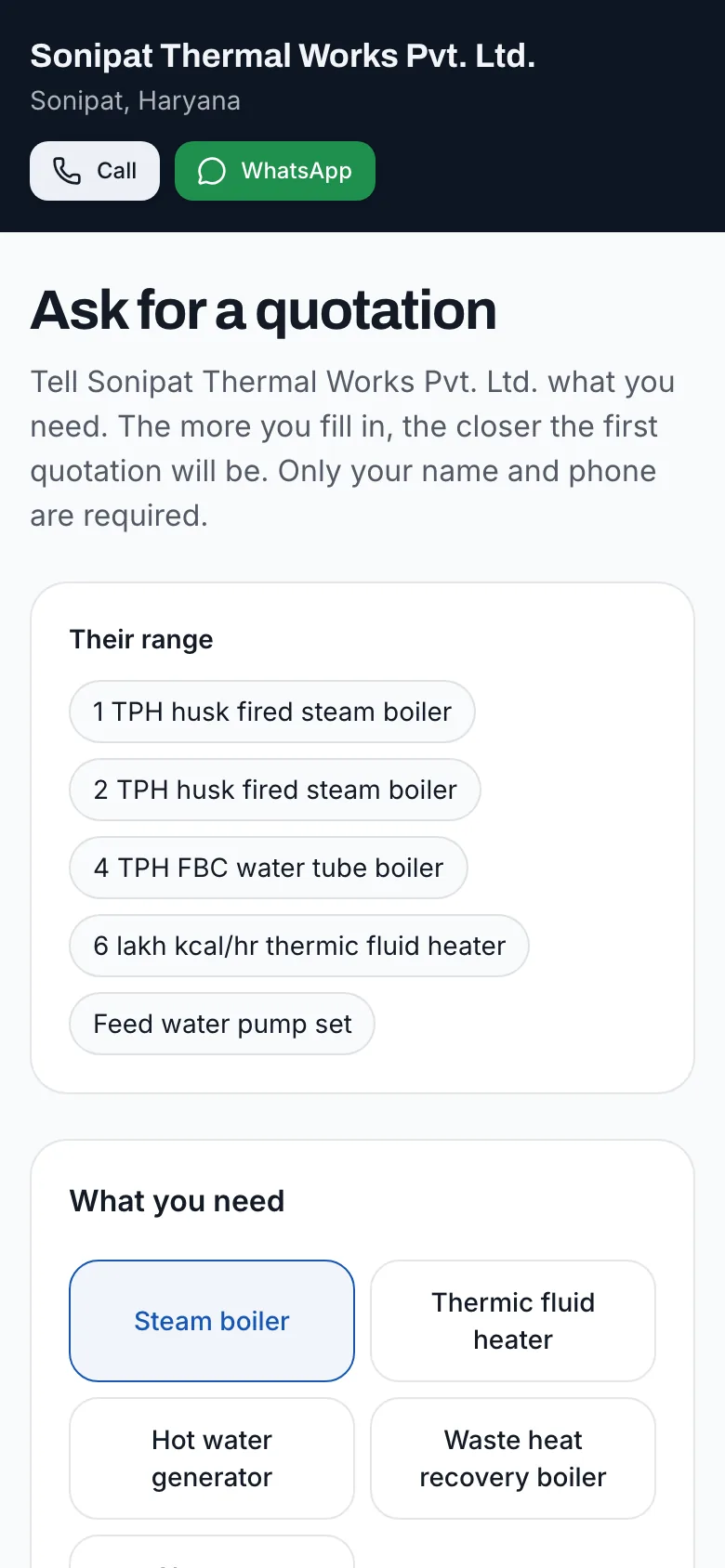
Ads that send buyers to a quotation form
When a plant is planning a boiler, the search starts weeks before the enquiry. Draft ads from your catalog, point every click at your enquiry form instead of your home page, and see which enquiries the ads brought.
- Ads written from the products and fuels you actually make
- Every click lands on your enquiry form, not your home page
- A daily budget you set and can pause any time
- Enquiries from ads tagged, so you see what they bring
Ads from your catalog
How it works
Pick what to advertise
Choose products from your catalog: a capacity range, a fuel, a heater.
Review the drafts
Yantra drafts the ads from the product’s particulars and the industries it suits. Change the wording and approve.
Set a budget
A daily budget you can change or pause any time, on the networks connected to your account.
See what they brought
Every enquiry from an ad carries its campaign, so you can compare it with what you spent.
Who it's for
Makers who want more enquiries than referrals and exhibitions bring, and makers who tried ads once, paid for clicks that landed on a home page, and saw nothing come of it. It fits a maker with a clear product to push: a new model, a fuel that is in demand, a state they want to sell into. It also suits makers entering a new segment, such as waste heat recovery or a new fuel, who need buyers in that segment to learn their name quickly.
Why it matters
An ad is only as good as the page it lands on. A click that lands on a home page with a phone number in the footer is mostly lost. A click that lands on a form asking for capacity, pressure and fuel turns an interested buyer into an enquiry your team can price, and tagging it tells you whether the money was worth it. Ads also let you test a market before committing a sales engineer to it. A few weeks of ads for a heater in a textile cluster tells you whether buyers there are asking, at what capacities and fuels, before you plan a visit.
What's included
Drafts from your catalog
Headlines and descriptions written from the product, not generic copy.
The enquiry form as the landing page
Clicks land where the buyer can ask for a quotation at once.
Campaign tags on enquiries
The desk shows which enquiries each campaign brought.
Budget control
Set it, change it, pause it: you decide what is spent.
Ads by fuel and industry
Separate ads for a husk fired boiler for rice mills and a thermic fluid heater for textile units, each sent to the same enquiry form, so the message matches the search.
Your phone and WhatsApp alongside
Buyers who would rather call than fill a form see your number on the enquiry page, so a click is never a dead end.
FAQ
Questions owners ask
- Which ad networks does it run on?
- The networks connected to your account in the ads surface, which shows what it can publish to before you spend anything.
- Is there a minimum budget?
- Yantra sets none; the ad networks have their own minimums. Start small, see what enquiries come, then decide.
- How do I know if the ads work?
- Each enquiry from an ad is tagged with its campaign in your Boiler Desk, so you can see how many enquiries, quotations and orders it led to.
- Should we advertise every product?
- Start with one or two products you most want to sell and can deliver well, for the industries that buy them most. Advertising everything at once spreads a small budget too thin to learn anything.
- Can we advertise only in some states?
- Yes, where the network allows location targeting. Selling into a new state is a good reason to run ads there, with an enquiry form that asks where the boiler will be installed.
Get found by plant buyers