Earn from every boiler you sold
The plant asks for service from the boiler
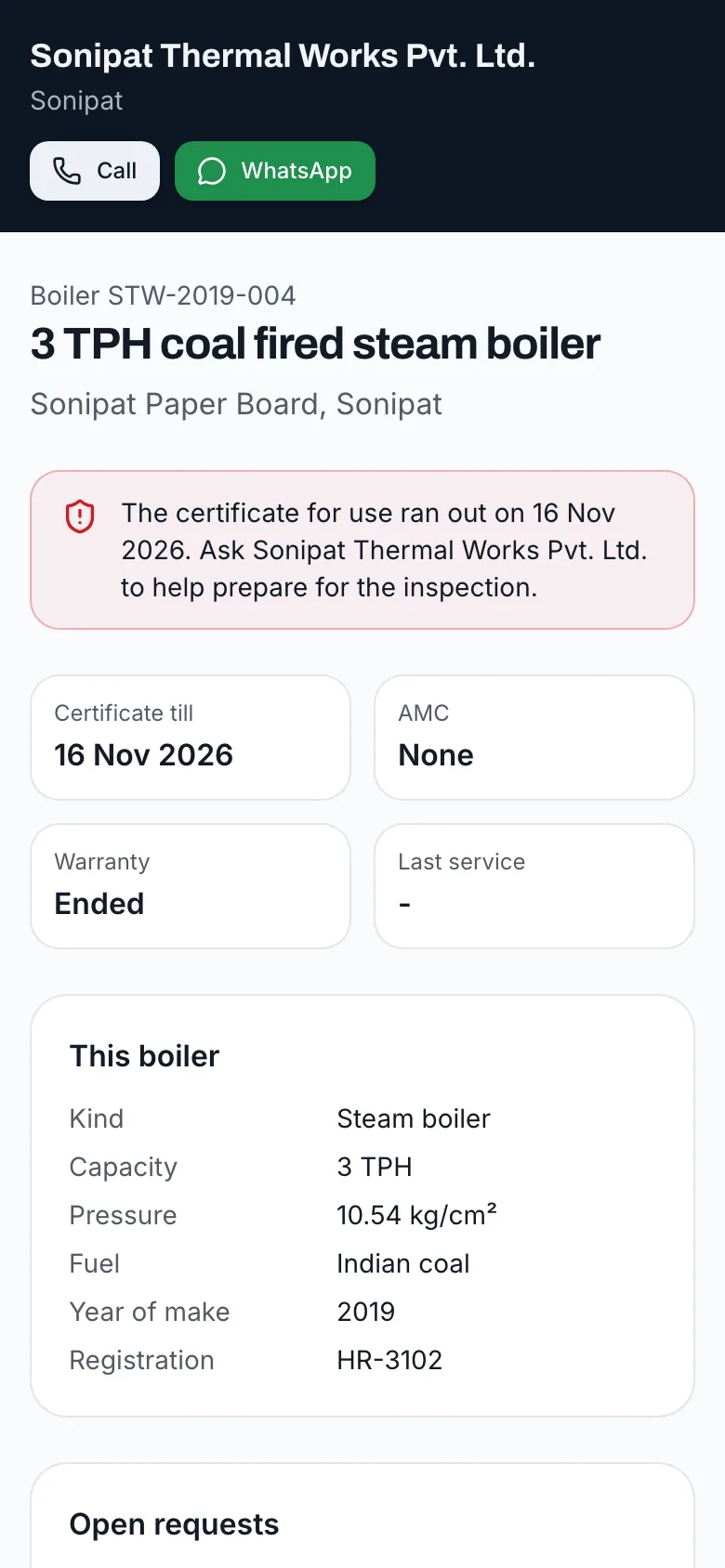
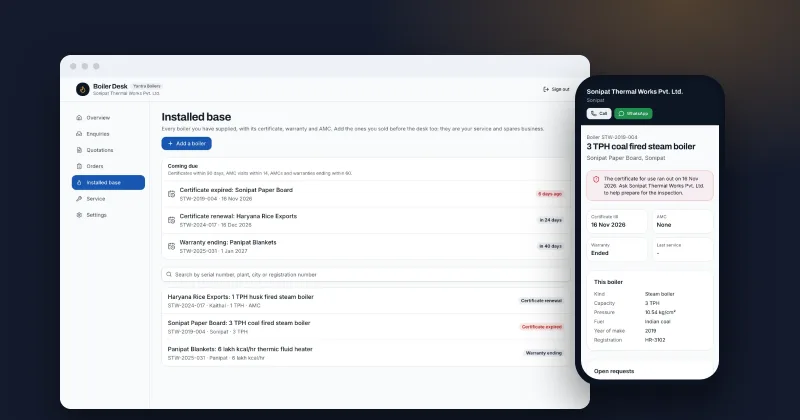
A QR sticker on the nameplate opens the boiler’s own page: model, serial, certificate and AMC dates, last service, and a form to report a breakdown, ask for a maintenance visit or order spares. Requests land in your desk, urgent ones first.
- A QR sticker per boiler, printed from the desk
- Breakdown, maintenance, spares or inspection support, with a part list
- Urgent requests flagged and listed first
- Schedule the visit, assign an engineer, close it with what was done
Service from the nameplate
How it works
Print the sticker
From the boiler’s page, print a small sticker with its QR code, serial number and your phone.
The plant scans it
The operator sees the boiler’s page and asks for help: what is wrong, how urgent, their name and phone.
Your team schedules it
The request is in Service, urgent ones first. Call or WhatsApp in one tap, set a visit date and an engineer.
Close it with what was done
The resolution goes on the boiler’s history; the plant sees the last service date on its page.
Keep the plant informed
The boiler's page shows the request as open, then scheduled with the visit date, so the plant knows help is coming without calling to ask.
Who it's for
Makers whose service calls arrive at whatever number the plant found, often a competitor’s, because the operator on the night shift did not know whom to call. It fits makers who sell spares and AMCs and want the plant to come to them first.
Why it matters
When a boiler trips at 2 a.m., the operator calls whoever they can find. A sticker on the boiler with the maker’s name and a QR code means that call comes to you, with the serial number and the problem already written down. Spares ordered the same way are spares a local trader did not sell. Every request also adds to the boiler's history. When the plant head asks why the boiler needed three visits this year, the answer, with dates and what was done, is on the boiler's record. For the plant, it removes the hunt for a number at the worst moment. For you, every request arrives with the boiler identified, so the engineer leaves with the right drawings and parts.
What's included
A page per boiler
Model, serial, capacity, fuel, registration, certificate till, AMC till, warranty, last service and open requests.
Spares with a part list
The plant lists the parts and quantities it needs.
Urgent first
Urgent breakdowns are flagged on the overview and at the top of Service.
Logged calls too
Requests that come by phone or WhatsApp are logged in the same place.
Abuse limits
Requests are rate limited per visitor and per boiler, so a sticker cannot flood your desk.
Kinds that match the work
Breakdown, maintenance visit, AMC visit, spares, inspection support and other: each request says what kind of help is needed.
FAQ
Questions owners ask
- Does the operator need an app?
- No. The phone camera opens the page; they fill in the request and send it.
- What stops someone outside the plant from sending requests?
- The QR code holds a long, unguessable link, requests are rate limited, and each one asks for a name and phone number your team calls back.
- Can we log requests that come by phone?
- Yes. Log a request against the boiler with its channel, so every request is in one place.
- What does the plant see after asking?
- A confirmation with the request number, and the request listed on the boiler's page as open, then scheduled with the visit date when your team sets it.
- How does the team hear about a breakdown at once?
- Whoever turns on service alerts in Settings gets an email the moment a request comes in, with urgent ones marked urgent in the subject, and a link that opens the request.
Earn from every boiler you sold